
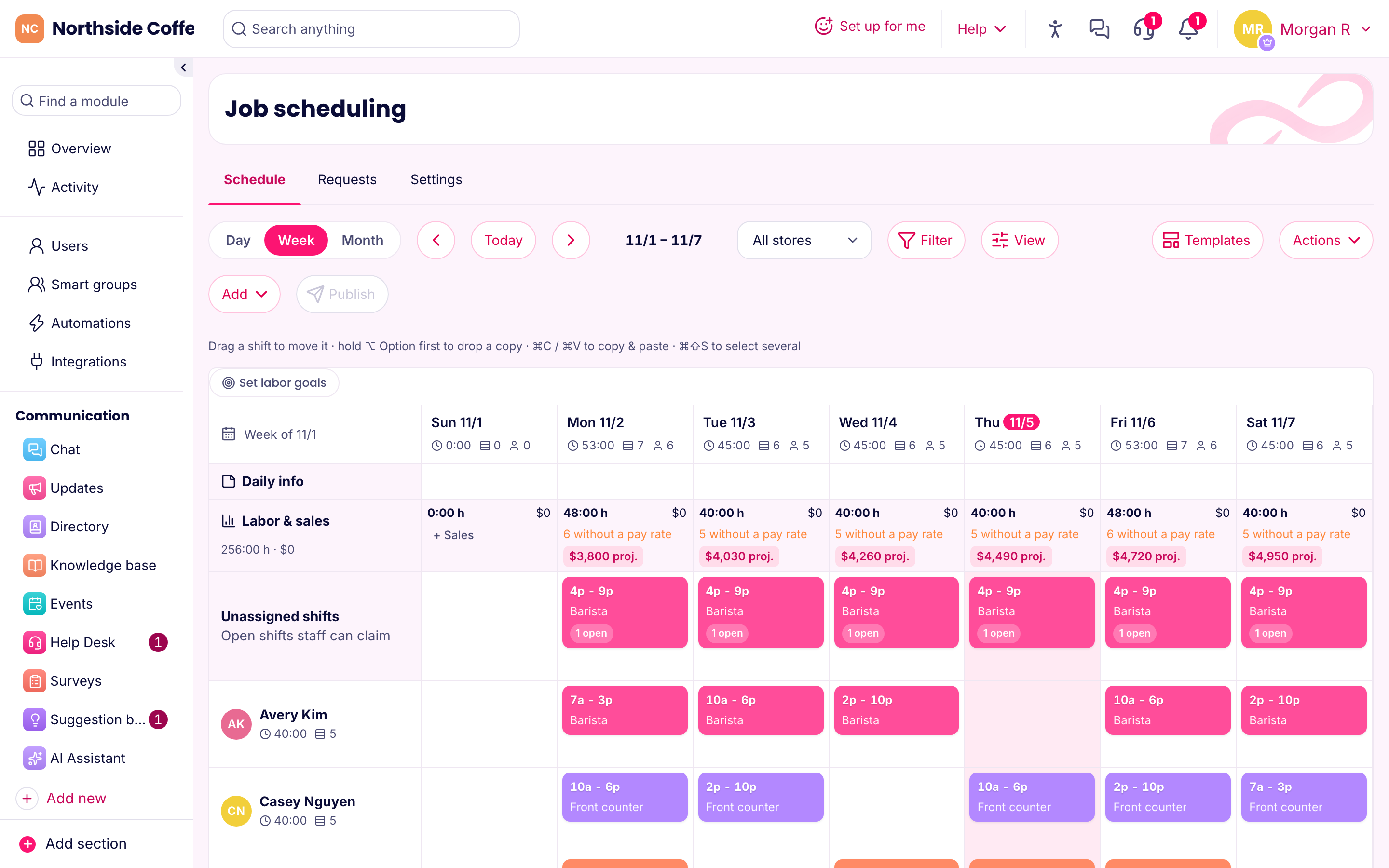
A schedule you won't dread
Most weeks look a lot like last week, so that's where you start. Copy the last one or pull up a template, then fix what's different. Click a day in someone's row to add a shift, drag it to move it, and hold Option (or Alt) while dragging to make a copy.
Nothing goes out until you press Publish. Your drafts stay invisible to the team while you're still moving people around. Once you publish, everyone gets their shifts in the app and a reminder before each one.
Filling the gaps
Somebody always can't make it. There are three ways to deal with that, and you can use all of them:
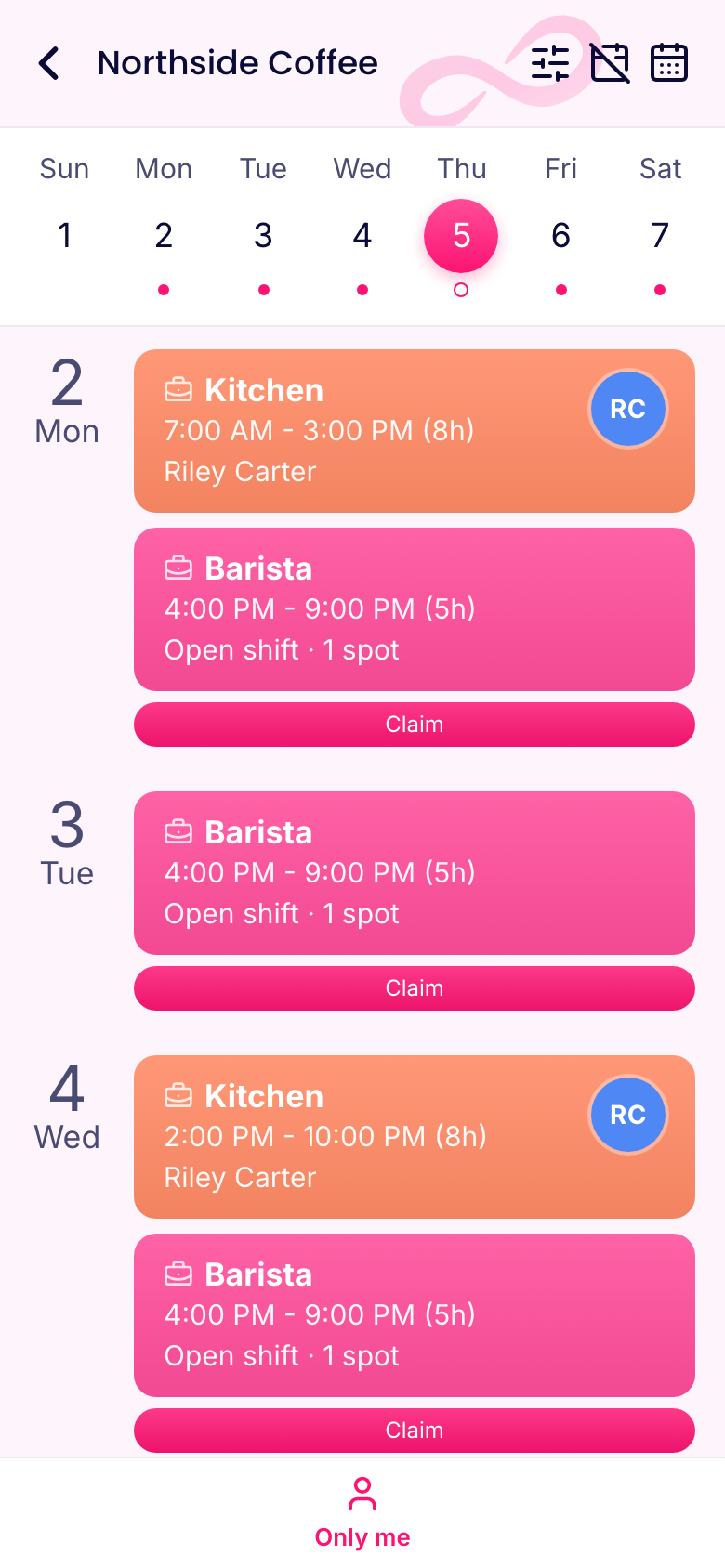
- Open shifts. Add a shift with no one on it and set how many spots it has. Your team claims it in the app, and you approve under Requests. Or turn on instant claims in Settings if you'd rather not be asked.
- Swaps. An employee offers a shift, a colleague accepts, and you approve. Nobody has to call around.
- Auto assign. Press one button, and open shifts fill using each person's availability, preferences and hours.
See the cost while you can still change it
Add pay rates to your people and the schedule shows hours and labor cost for each day. Type projected sales, or let the forecast fill them in from the last four weeks.
Set a labor goal as a percentage of sales or as sales per labor hour. Days over the goal turn red, and each day suggests how many hours its sales can carry. A list called "Heading into overtime" shows anyone whose worked and scheduled hours will cross the line this week. That's far better than finding out on payroll day.
Catching the mistakes that cost you
Pick your state under Settings, and the schedule flags things like short rest between shifts, missed breaks, daily overtime, late schedules and minors' hours. There are presets for California, New York, New York City, DC, Washington, Oregon, Illinois and federal rules, and you can set your own values. Checks only flag; nothing gets blocked. It's a practical summary and not legal advice. More on those checks.
What your team sees
Employees get their week on their phone, with the option to set availability, request time off, claim open shifts and offer swaps. There's no group text to scroll through and no photo of a printout.
What it costs
Scheduling is in the Operations hub, on every plan. You're free for up to 10 people at 1 location. After that, Basic costs $14.50 a month billed yearly, covering your first 30 people and up to 3 locations.