
The short version
When I Work is a scheduling specialist with simple per-person pricing. We make PinkLinq, a broader app with a flat price for your first 30 people. The more people you have, the more that difference shows.
If you only need a schedule and you've got a small crew, either will do the job. If you also want checklists, training and onboarding in the same app, you'll find those in ours. When I Work's pricing page doesn't list them.
What each one costs
When I Work's page listed three plans on November 6, 2026:
| When I Work plan | Price per user, per month |
|---|---|
| Essentials | $2.50 |
| Pro | $5.00 |
| Premium | $8.00 |
Each plan card has an "Add Time Tracking & Attendance" switch. The page we read didn't show a separate price for it, so check what it adds to your quote. There's a 14-day free trial, and the page mentions both monthly and annual billing without stating a discount.
PinkLinq's Operations hub, which holds schedules and the time clock, costs this:
| PinkLinq plan | Yearly | Monthly | Each person after 30, yearly |
|---|---|---|---|
| Free, up to 10 people | Free | Free | Not available |
| Basic | $14.50 | $17.50 | $0.40 |
| Advanced | $24.50 | $29.50 | $1.25 |
The same team on both
Here's a team that wants schedules and a time clock. For team messaging on PinkLinq, you'd add the Communications hub, and the last column shows that total. When I Work's Essentials plan includes messaging.
| Team size | When I Work Essentials | PinkLinq Operations | PinkLinq with Communications |
|---|---|---|---|
| 8 people | $20.00 | Free | Free |
| 25 people | $62.50 | $14.50 | $29.00 |
| 60 people | $150.00 | $26.50 | $48.50 |
The When I Work figures don't include whatever the time tracking switch adds.
A team that's growing feels this most. On a per-person plan, each hire raises the bill by the same amount. On ours, hiring your 12th or 28th person changes nothing until you pass 30.
Where When I Work is the better pick
A focused tool. It's built around scheduling and attendance. Some managers want exactly that and nothing else on the screen. PinkLinq lets you turn off the tools you don't use, but it's still a bigger app.
A team just past our free plan. At 11 people, Essentials with messaging comes to $27.50, a little under our two Basic hubs at $29.00.
Point-of-sale connections. Its Essentials plan lists payroll and POS integrations. PinkLinq gives you payroll files, plus forecasts from sales you type in. We don't pull sales from a register yet.
History and Android. When I Work has been around a long time and runs on both major phone platforms. We don't have an Android release yet.
Where PinkLinq is the better pick
Growing teams. See the table above. The gap gets wider with every hire until you pass 30 people, and after that our per-person fee is small.
Everything in one app. Forms, checklists, boards, documents with e-signatures, courses, quizzes, onboarding and hiring are all here. When I Work's pricing page doesn't state any of those, so you might end up paying for other tools alongside it.
A free plan. Up to 10 people can use every hub with no time limit. When I Work's page didn't state a free plan, only the trial.
Labor-law flags. Pick your state and the schedule flags missed breaks, short rest between shifts and minors' hours. It's a practical check and not legal advice, and nothing gets blocked.
Making the switch
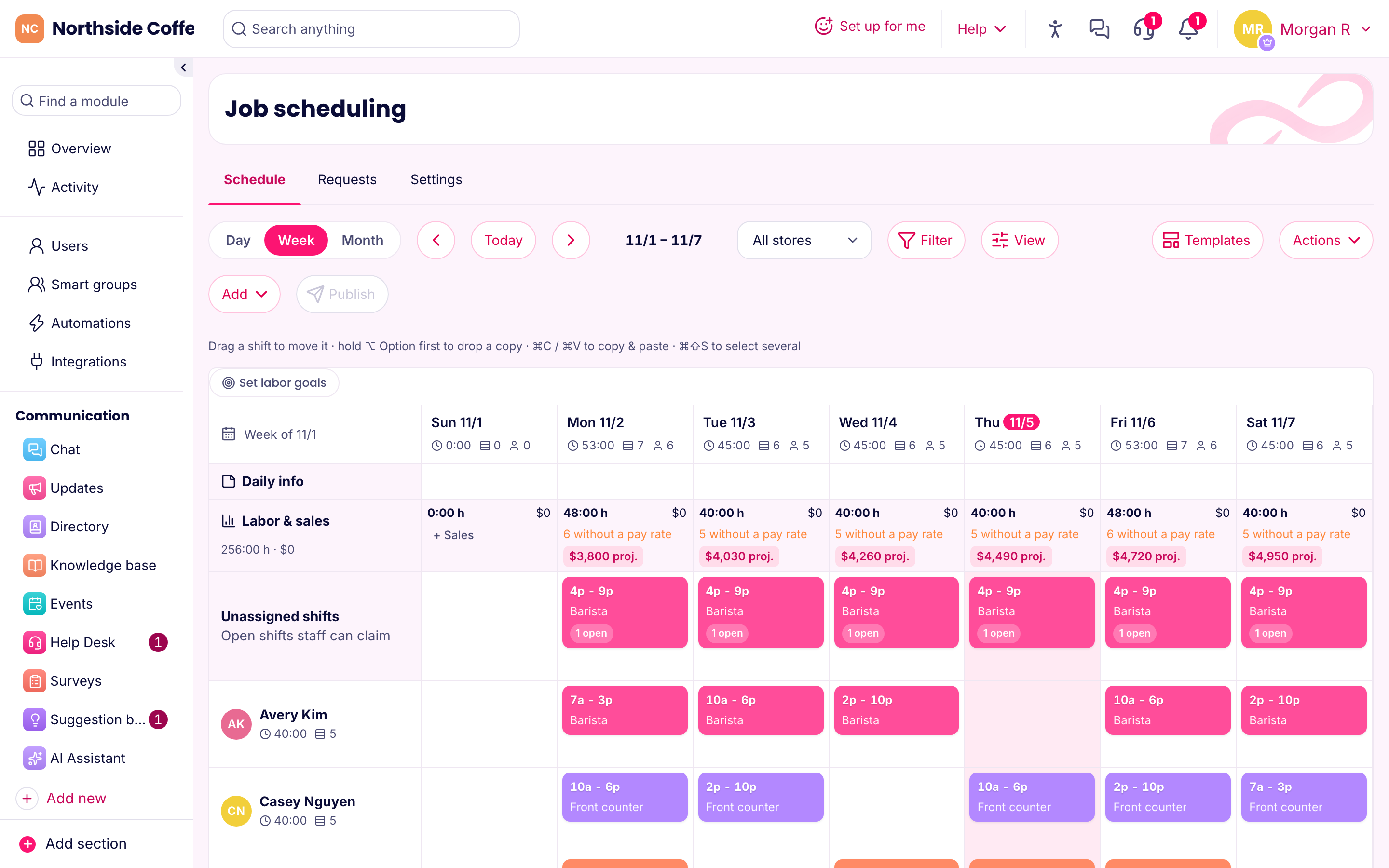
Export your staff list from When I Work as a CSV and upload it under Users. You'll see a preview of new people and any stores that weren't found. Copy your usual week into a template, then publish.
Most managers can have a first schedule out in an afternoon. Keep the old app running until you've closed one full pay period in the new one.
Sources
- When I Work pricing, read November 6, 2026.
- PinkLinq pricing, always current.
If a price here has changed, let us know using the form below and we'll correct it.