
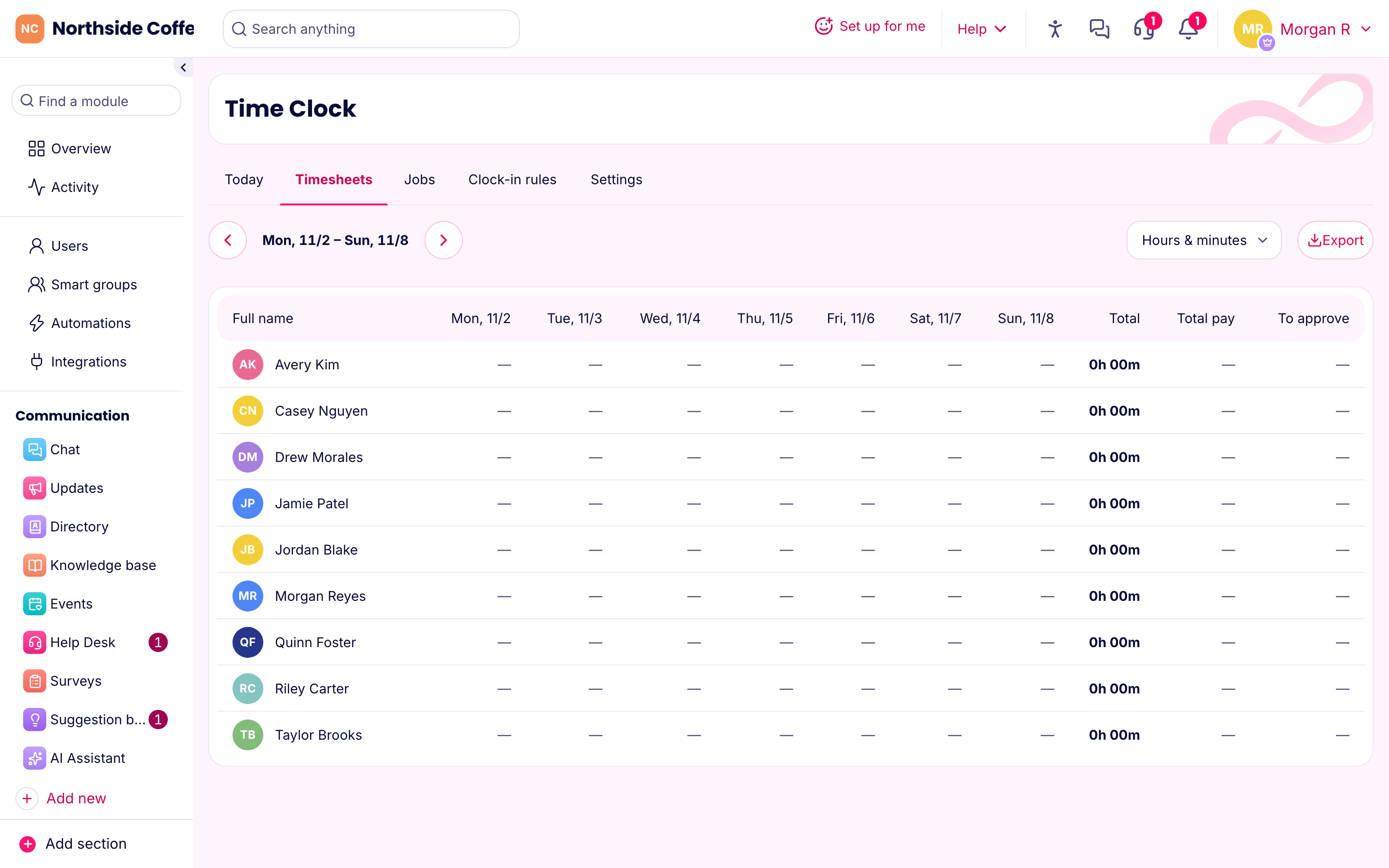
From punches to approved hours
Every clock-in lands on a timesheet. Click a person to see their punches for the week. If something's wrong, add or edit an entry and give a reason. Every change is logged with who made it and why, so a question months later doesn't turn into guesswork.
You'll see missed breaks flagged. You can set rounding rules and break types once, in Time Clock settings, and they apply everywhere. When the week looks right, approve it.
Pay periods that match yours
Set your pay schedule: weekly, every two weeks, twice a month or monthly. Choose the day your workweek starts and how many hours a week come before overtime. The usual setting is 40.
PinkLinq then splits each person's paid hours into regular and overtime, week by week, and adds approved paid time off.
Pay rates can change over time. A raise applies from the date you set, so older hours keep the old rate. Lock the period when you're done, and nobody can quietly change it later.
Getting the hours to payroll
We don't run payroll or pay your people. We make the file your payroll provider wants:
- Gusto
- ADP, with your file numbers, regular hours, overtime and PTO in the right columns
- QuickBooks
- Paychex, with worker IDs
- Square
- A plain spreadsheet for anything else
Add each person's ID from the table once and it's remembered. The first time you use a file, check its columns against your provider's import template, because providers change their templates now and then.
A direct connection that sends hours into Gusto is built and waiting on Gusto's approval. Until then, the Gusto file does the job. You can read more on the integrations page.
Why this beats paper and spreadsheets
If you've ever typed hours from a stack of paper cards, you know the risks. Someone's handwriting, a missing punch and a typo in the wrong row can all cost you money, and you won't find out until an employee does.
The bigger benefit is the record. Federal rules require you to keep payroll records and the time cards behind them. With every punch and edit stored, you've got an answer when somebody asks. The owner can export all the company's data at any time. It's also backed up every night.
What it costs
Timesheets and payroll files are in the Operations hub on every plan, including Free. Basic covers your first 30 people for $14.50 a month billed yearly, and each person after that adds $0.40.